FEATURES
Six purpose-built capabilities united as one secure workspace for mission-critical operations. Tap any card to learn more.
Groups & Incidents
Tap for more →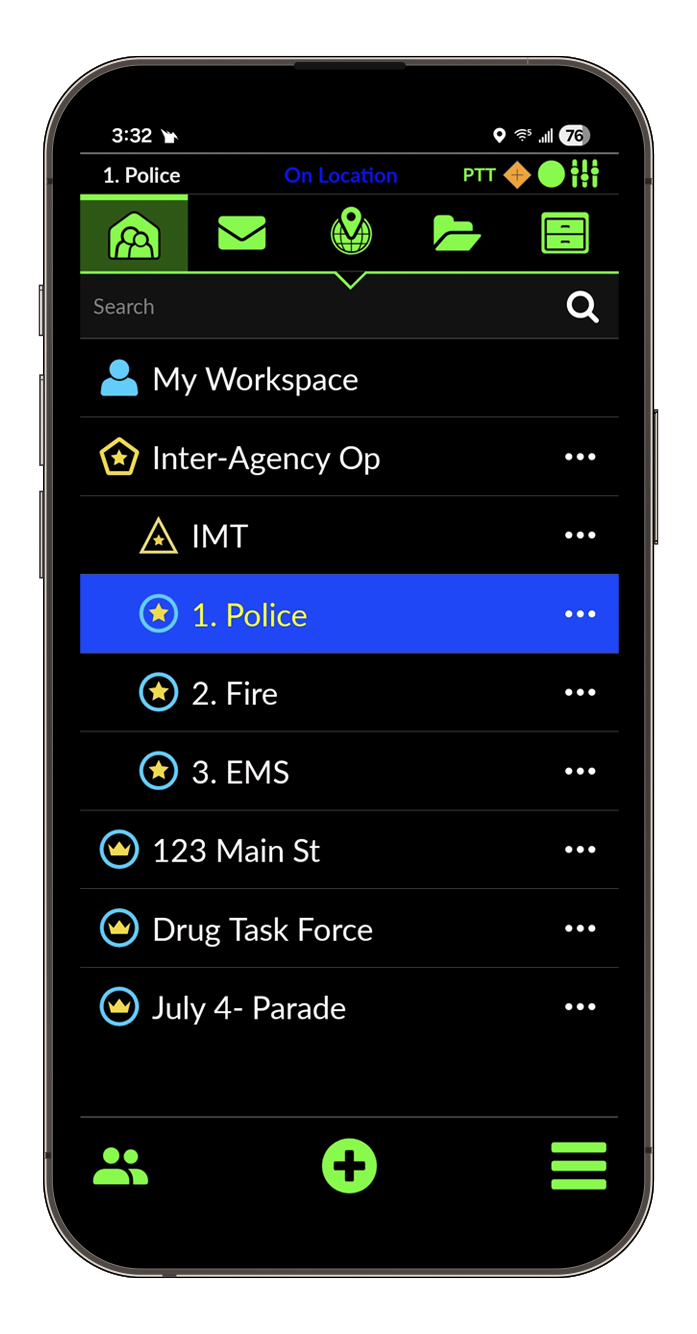
The DragonForce collaborative experience takes place inside DragonForce Groups and Incidents where members who are added by a Group Manager can securely share messages, files, images, locations, as well as voice and video communications. Each Group and Incident is a secure, independent, collaborative environment where only the members of the Group have access to the data shared within it.
You can create and operate simultaneously an unlimited number of Groups and Incidents to plan, train, operate, and report any type of mission.
DragonForce Incidents are based on the NIMS model and allow you to create a series of nested, hierarchical groups to expand the span and depth of control needed to manage complex incidents involving hundreds of responders from multiple agencies and operational disciplines.
Messaging
Tap for more →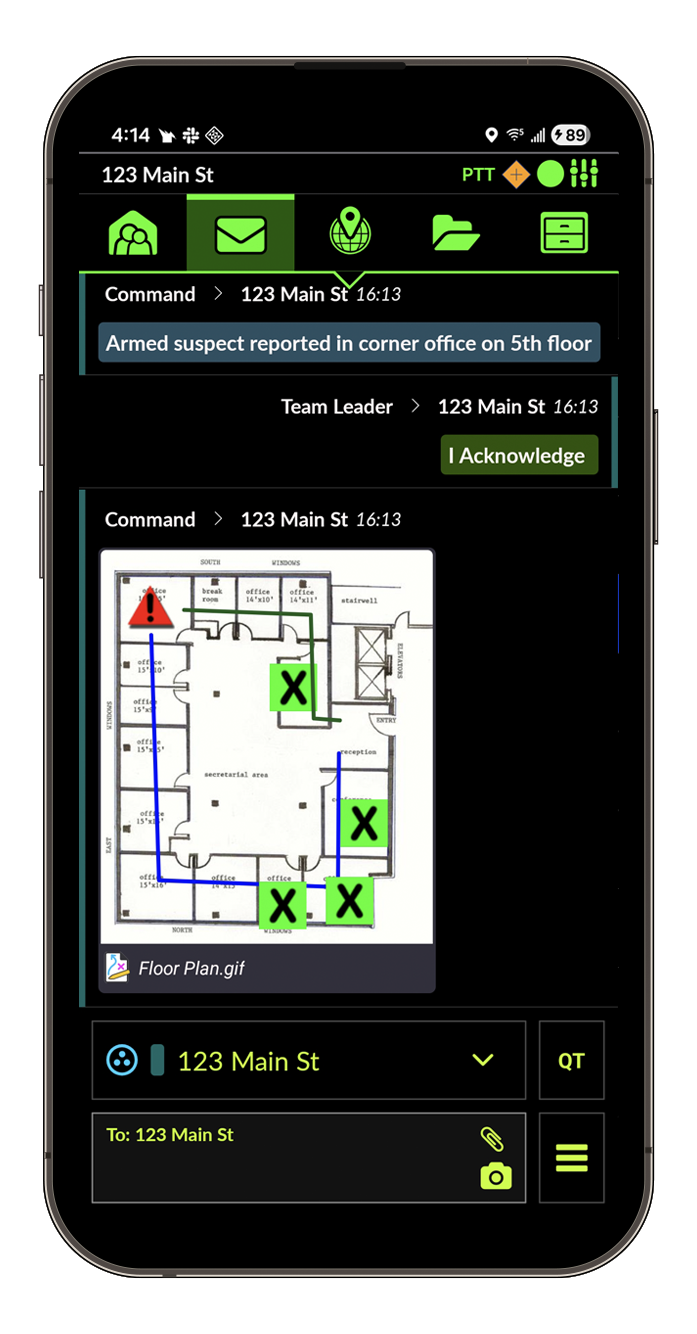
DragonForce Messaging is a secure, purpose-built messaging tool enabling you to share texts, photos, files, audio and video clips with your teammates. Messages can be sent to Groups, Individuals, or sent as broadcasts to large-scale incidents containing 100’s or 1000’s of recipients. Images and files can be easily “dragged & dropped” to the chat timeline where they are displayed as thumbnail previews. Incident commanders can “filter in” multiple, color-coded chat feeds to monitor communications in multiple groups simultaneously.
All DragonForce messages are encrypted and logged (including media attachments) ensuring a sovereign data environment where you own your own data!
Tracking & GIS Tools
Tap for more →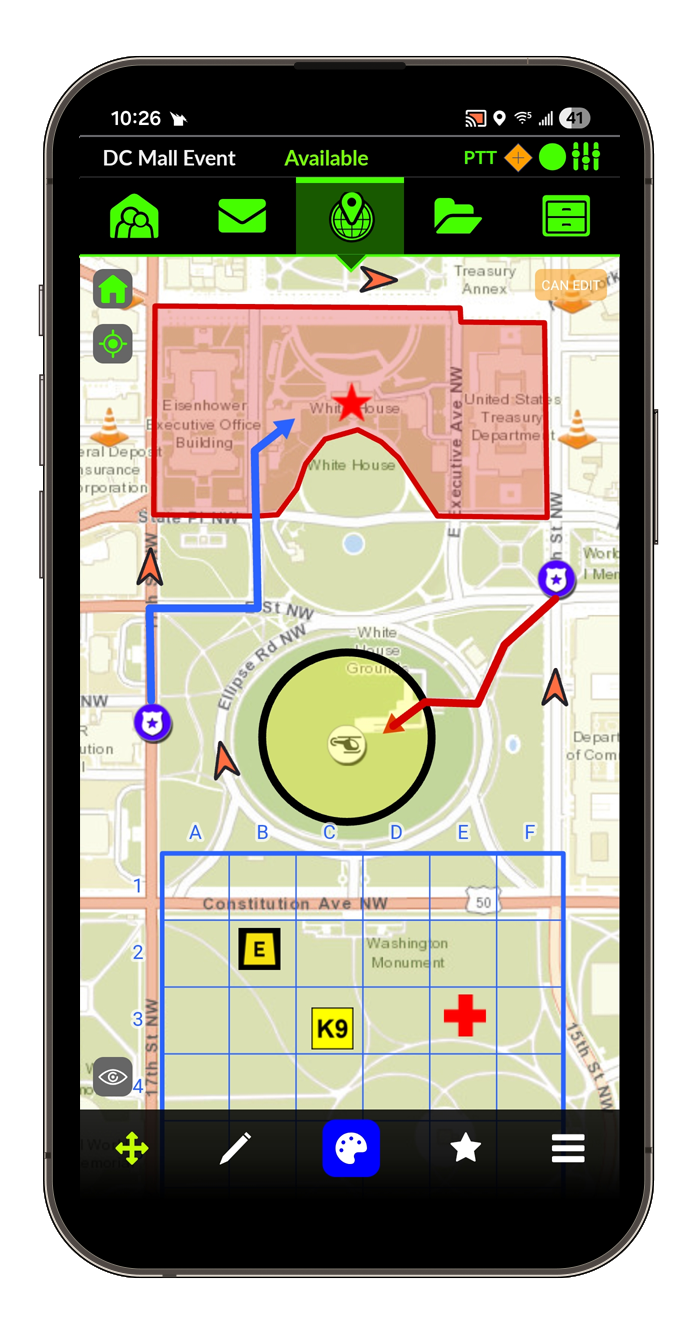
Track the real-time location of your teammates and tracking rates you control. Display their location on the base map layer of your choice (Street, Topographical, Satellite Views). In addition to tracking operatives using the DragonForce mobile app, you can also ingest and display live location data from other systems you use such as AVL, radio tracking, or covert tracking beacons.
DragonForce allows you to overlay additional feature layers from your Esri ArcGIS server to enhance your situational awareness. Additionally, you can quickly and easily import KML and shapefiles into a DragonForce group and selectively layer the data on the map.
Drag & drop photos, files, or IP cameras to the map to instantly geolocate critical assets. DragonForce displays all your critical information elements on a single pane of truth!
Tactical Whiteboarding
Tap for more →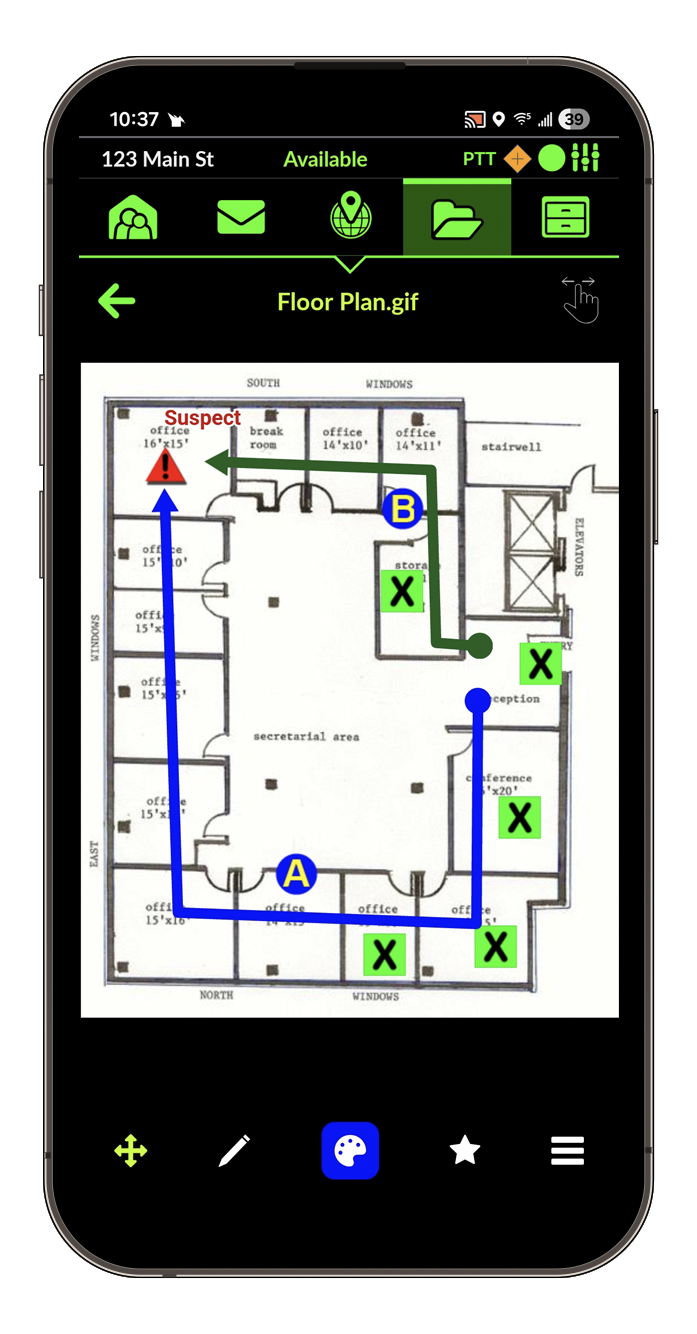
DragonForce’s unique “Tactical Whiteboarding” capability enables you and your teammates to collaboratively draw on any map, image, or floor plan that is added to a DragonForce group. Draw lines, shapes, distance measurements and search-grids in seconds. Place and move customizable icons to establish a “digital chessboard” common operating picture for you and your team.
With a simple “click” you can snapshot your DragonForce annotations to memorialize mission critical moments for your after-action report. Or use DragonForce as a planning tool and snapshot your detailed mission package annotations as a feature layer to be deployed during a future event.
PTT (Push-to-Talk)
Tap for more →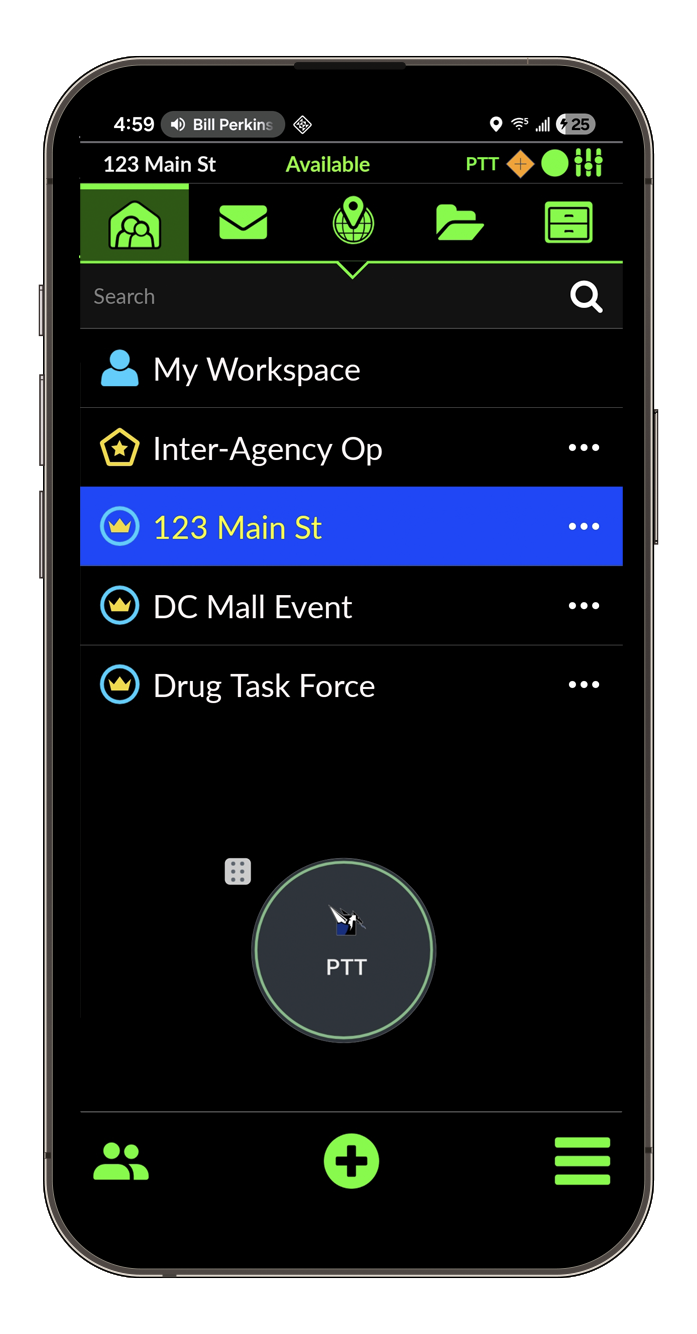
DragonForce provides a secure Push-to-Talk (PTT) service that is seamlessly integrated into the DragonForce team collaboration experience. When you create a new DragonForce group and add members, a dedicated PTT group with identical membership is automatically created for you ensuring effortless data and voice comms interoperability.
DragonForce PTT is actuated via an adjustable, floating “soft” button available on every DragonForce Mobile app screen. Or, if available, can be mapped to the dedicated “hard” PTT button on your smartphone device. DragonForce PTT is also available via the DragonForce browser based Command Center app.
DragonForce PTT supports a variety of headset accessories and Bluetooth actuator buttons for covert operations.
Forms & Situation Reports
Tap for more →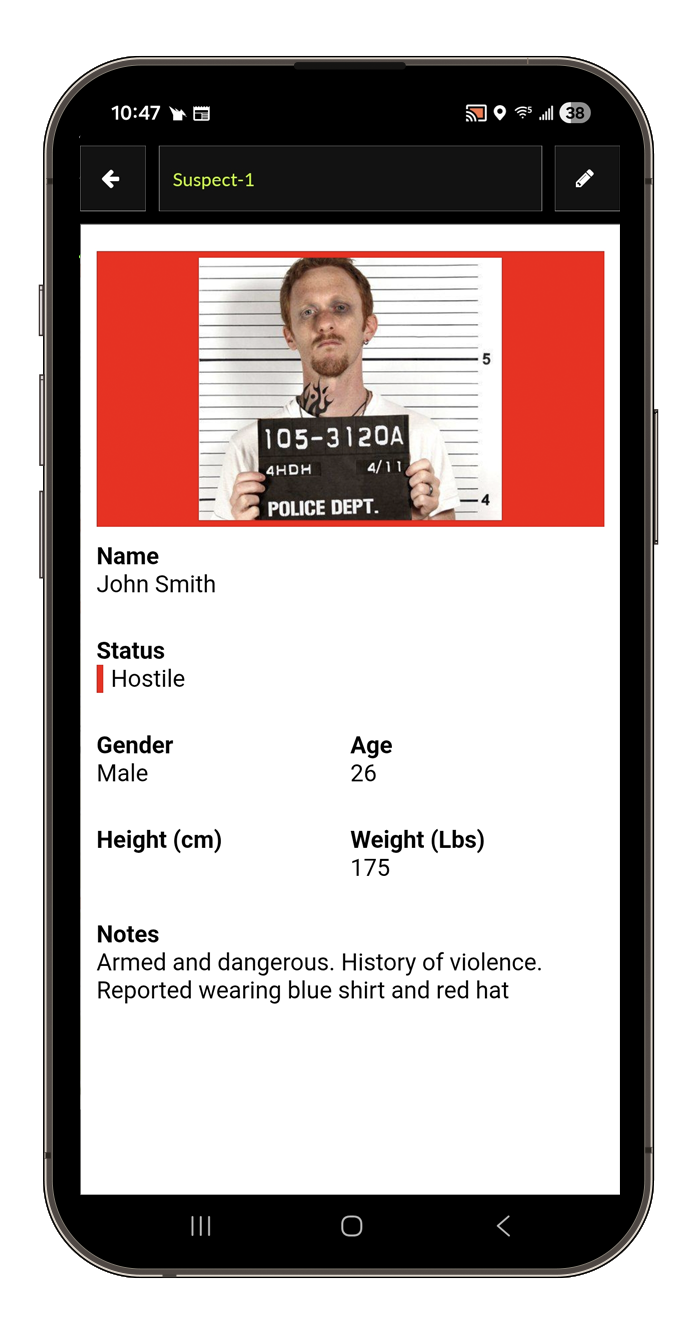
Capture all the mission data you need with DragonForce Forms and situation reports “SitReps.” DragonForce Forms and SitReps can be customized to include the data elements you need presented in the responsive layout that you want. Include text fields, dropdowns, tic-boxes, radio buttons and multi-media attachments. Conditional branching workflows are also available.
DragonForce SitReps are collaborative tools where multiple users can view and edit a document simultaneously ensuring “real-time” situational awareness.
File Sharing
Tap for more →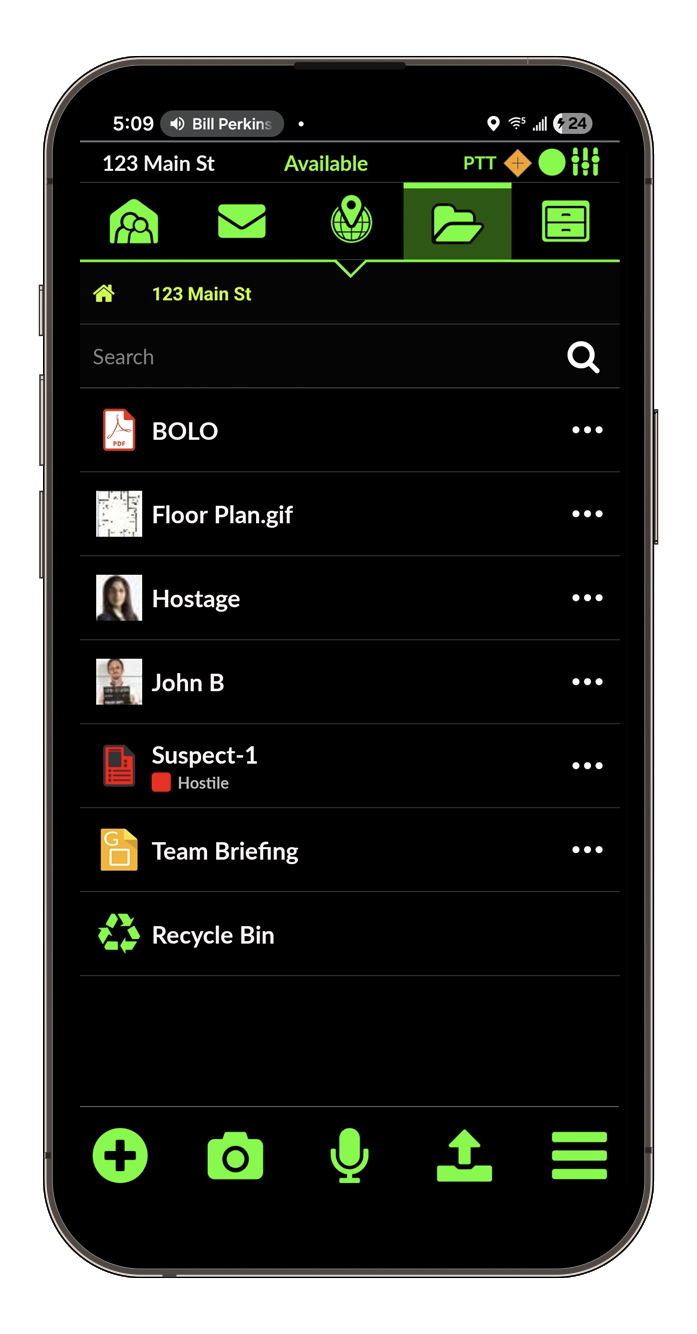
DragonForce makes file sharing “Drag & Drop” simple. Quickly and securely import any file type (images, videos, MS Office documents, PDFs) into DragonForce by dragging and dropping from the desktop or browsing your computer or phone’s file system or cloud drives. Critical information elements such as mugshots, floor plans and BOLOs become part of the secure “Mission Package” that is only available to the users you add to the collaboration group.
Video Streaming
Tap for more →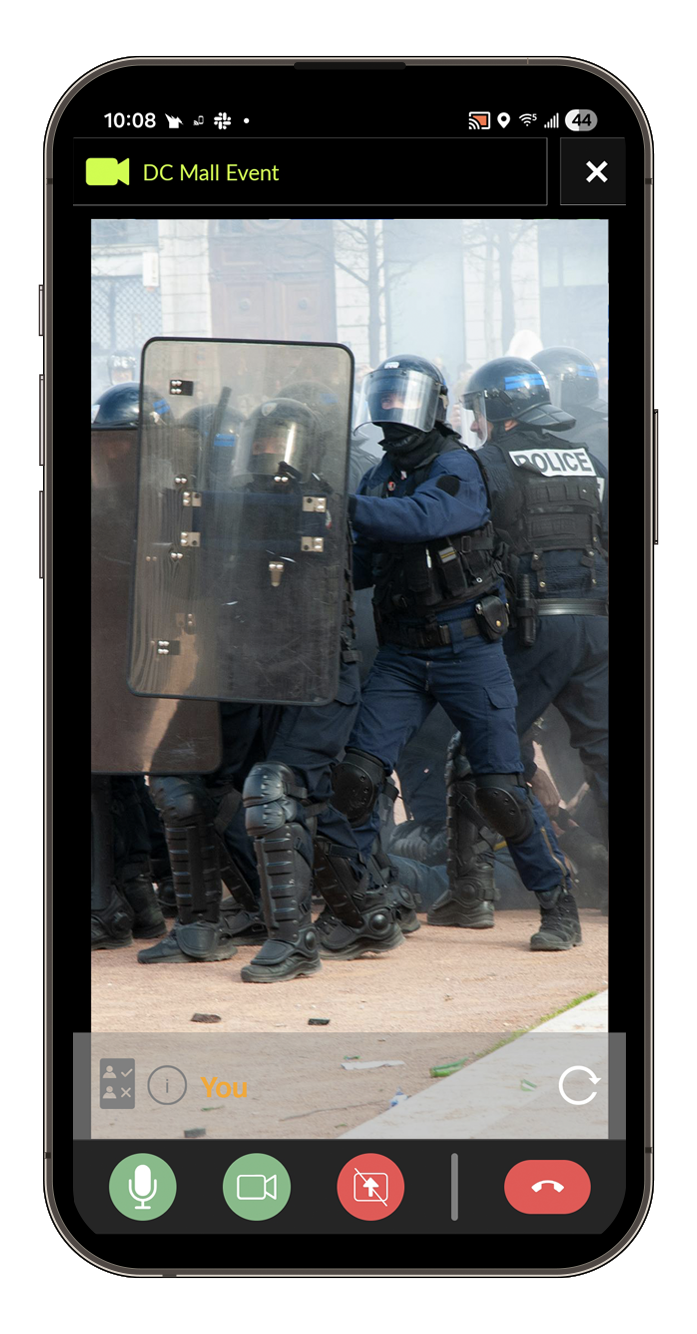
DragonForce Tactical Video Streaming (TVS) allows you to stream real-time video from your mobile device’s camera to members of your DragonForce collaboration group so that you have truly real-time situational awareness.
DragonForce Tactical Video Streaming also supports screen sharing from your mobile device or computer. Live stream presentations or share the video feed from your drone controller application.
DragonForce also allows you stream video from fixed IP cameras (Street Cams, Classrooms, Facility Security Cams) to the DragonForce Mobile and Command Center clients. These feeds can be bulk imported via spreadsheet and geo-tagged on your DragonForce maps.
QR Code Onboarding
Tap for more →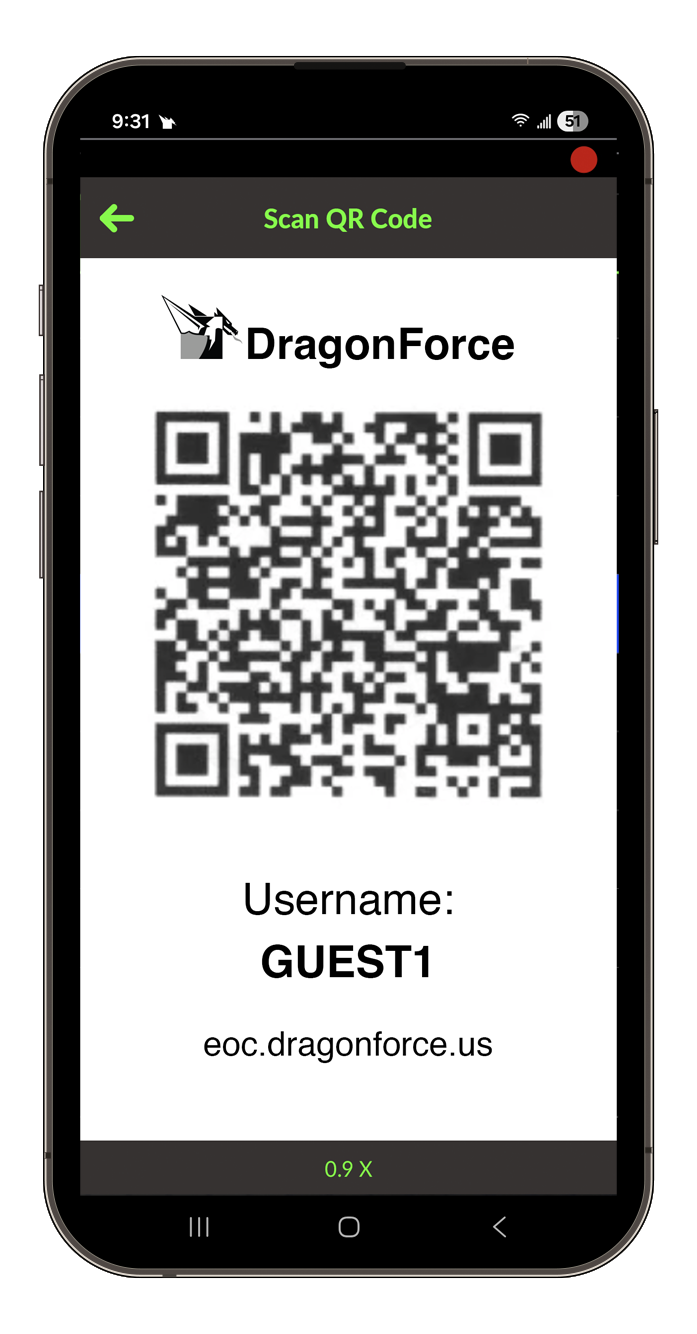
DragonForce is your solution for inter-agency voice and data interoperability. Quickly bring members from external organizations or volunteers into your DragonForce collaborative environment by giving them a DragonForce generated QR code or invite link that is tied to a DragonForce Surge/Guest account. By scanning the QR code or clicking the invite link, the DragonForce app is installed on the guest user’s smartphone and instantly provisioned with restricted surge/guest account credentials. The entire process takes less than 60 seconds!
Surge/guest users only see the data and collaborative services that you overtly share with them inside a DragonForce group. They can be removed from the group and shared data at any time with a single click on the group roster.
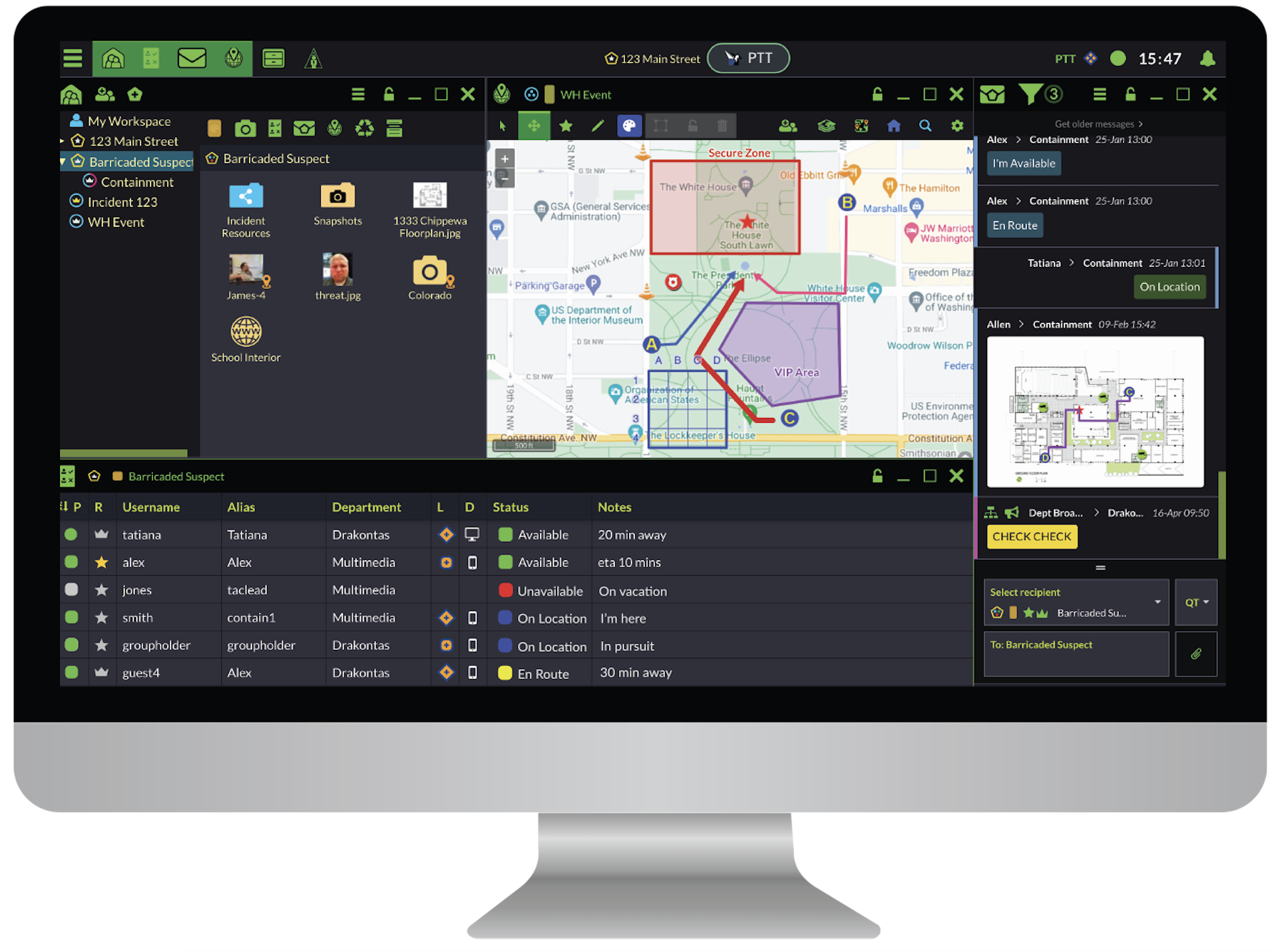
The DragonForce browser-based "Command Center" empowers you to customize the layout of your team collaboration tools to achieve perfect situational awareness of your operators and data assets in the field.
When the mission is complete, archive the incident and export the data collected directly into an after-action report.
Flexible Deployment Options
Deploy on the infrastructure type that works best for you
- Cloud
- On Premises
- Tactical
Use any device
- Android
- iOS
- Browser
Use any combination of IP networks
- 3G, 4G, 5G & FirstNet
- Satellite
- WiFi
All data (in transit and at rest) is protected by AES 256-bit encryption.
See how DragonForce features support your operation
Book an interactive demo and see DragonForce in action firsthand
Request a Demo